Nanoscope Usage
For App performance optimization, always hoped for a tool that can accurately record time consumption of various methods App executes within specified time.
For iOS platform, can use everettjf classmate’s AppleTrace based on HookZz, or if you work at Meituan, can use internal Trace tool Caesium (external network can search “Caesium iOS startup time monitoring”).
For Android platform, seems various Trace tools are more numerous, CPU Profiler, traceview, systrace, nanoscope, etc., etc.
This article simply explains basic usage of Uber’s open source nanoscope.
Official Introduction
Pros and Cons
Compared to other trace tools, nanoscope has more accurate precision, very small impact on App performance. But needs to flash firmware, and currently only supports Nexus 6P this one model.
Usage
Step One, Install nanoscope
brew tap uber/nanoscope
brew install nanoscope
Step Two, Flash Firmware
- Prepare a Nexus 6P phone (Taobao 400RMB)
- Open “Developer Options”
- Allow “USB Debugging”,
- Connect to computer.
- Set command line (or router) scientific internet access.
- Then execute command below.
nanoscope flash
If lucky, directly prompts success.
If unlucky like me, then Google based on error message. Here might have reference 1
Step Three, Usage
After phone boots. Usage very simple, two usages:
nanoscope start
nanoscope start --package=com.example.app
For example I want to trace my demoapp’s startup process, package id is com.everettjf.hellonanoscope, then I directly run on macOS command line:
nanoscope start --package=com.everettjf.hellonanoscope
Then open this demo app on phone, after app startup completes, press Enter, everything done, too simple.

At this time automatically opens an html, contains various trace information.
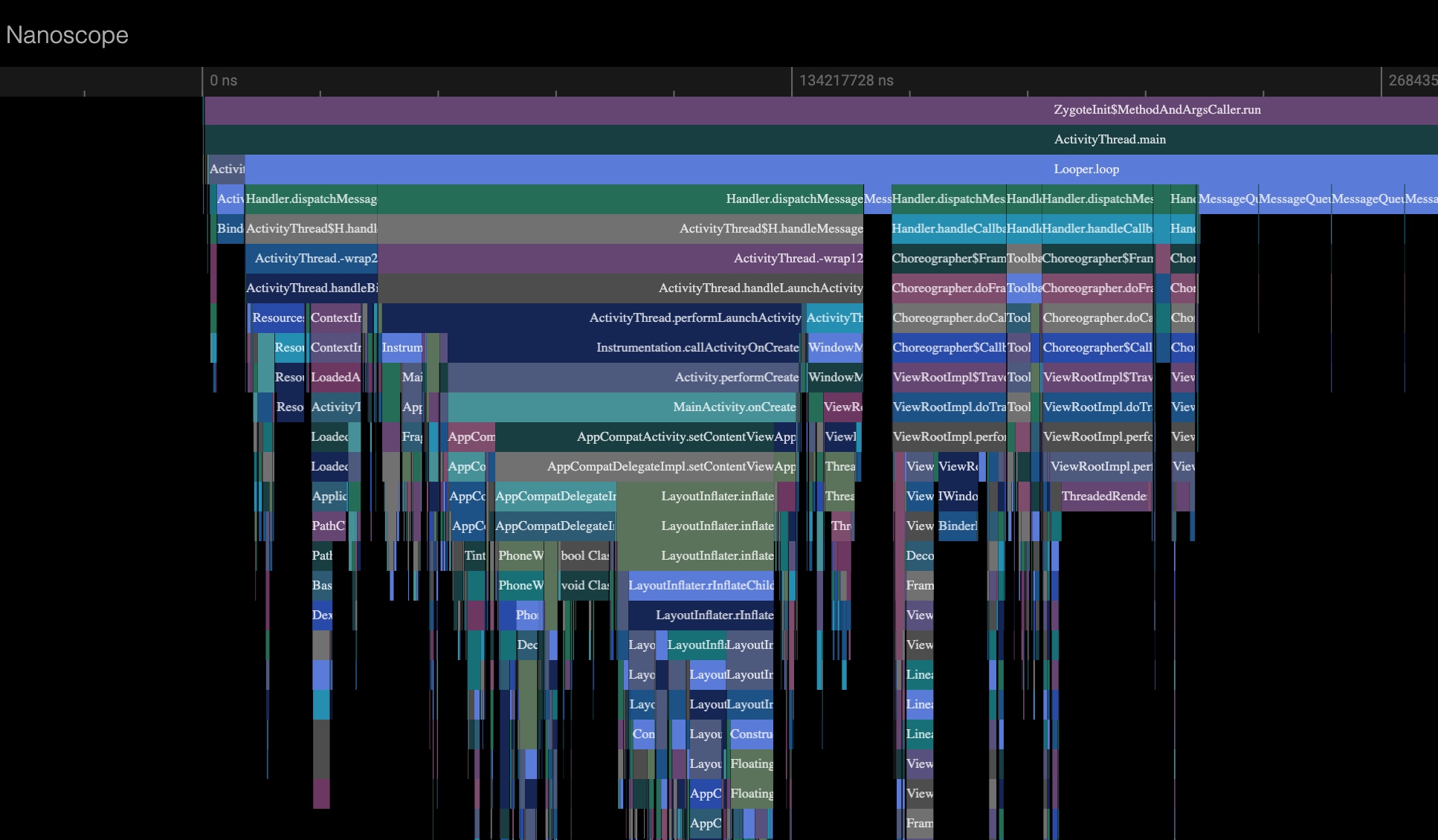
This way can learn Android App’s startup process, here even includes system Framework Java layer call content.
Example
Download this file, parsing is html above.
Can press letters w a s d, zoom in/out to view time consumption.
Summary
Android’s open source brought lots of “folk” useful tools. Compared to iOS’s hard-to-use Time Profiler, Android’s various development assistance tools in development, much more friendly.
Interesting :)
Welcome to follow subscription account “Client Technology Review”: