How to Write a RSS Reader App
Finally launched the first App, brief summary. For this App, I’m considered “full-stack development”.
This development process mainly has two outputs:
- Tomato Read App: Curated subscription of some iOS developer blogs. AppStore link.
- Blog List: Sorted by last update time. Auto-refreshes daily.
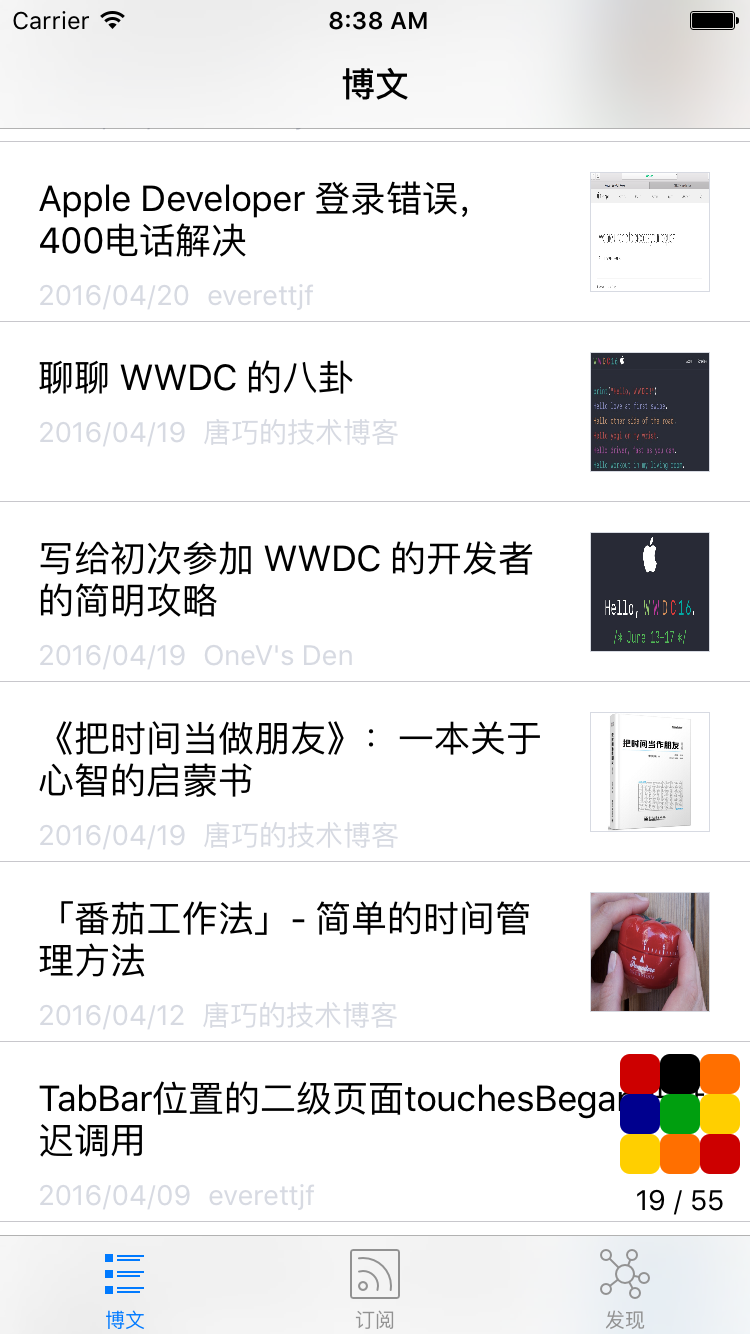
Three Tab pages, first page is subscribed article list, second page is blog list, third page is various articles and tutorials URLs I usually collect. As shown below:

Background
- Initially I wanted to make a comprehensive developer navigation website, where you could find the best URLs for learning anything, but didn’t have that much time to collect URLs. Since work is iOS development, can only focus on iOS development URLs.
- So wanted to make an App, display collected blogs and blog RSS subscription information through the App.
- Goals kept narrowing, perhaps this is the process of fake needs becoming real needs.
- For deeper background on the journey, see this article
Architecture
- Web server: For collecting URLs
- Static content server: Provides App access interface
- Crawler: Crawls blog article lists that don’t support RSS/Atom subscription
- App: Final display
Web Server
Web server is mainly for URL collection and deletion.
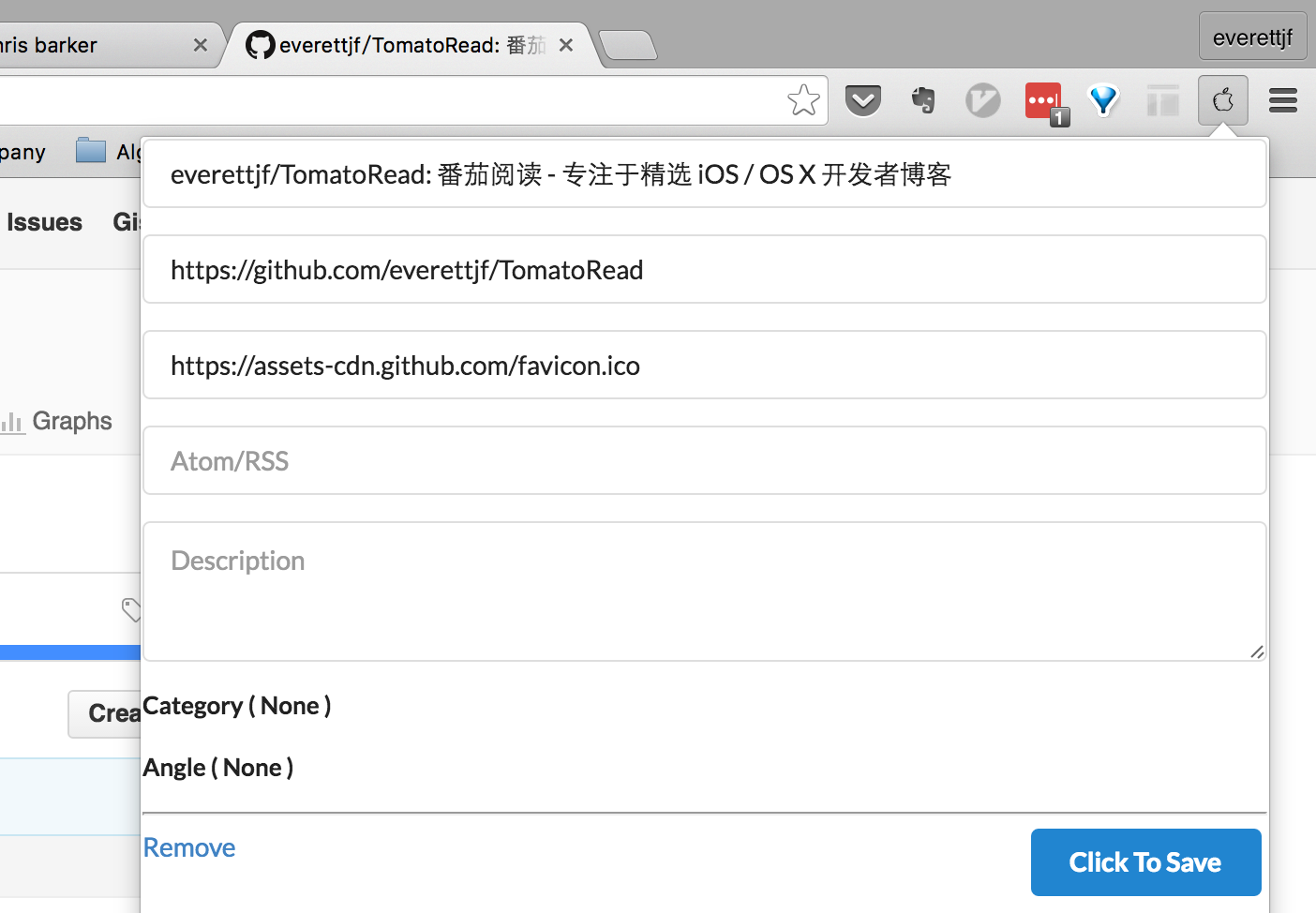
To conveniently bookmark a blog after seeing it, can write a Chrome extension. When browsing to a blog URL, click Chrome extension, Chrome extension will automatically collect current blog’s URL, title, favicon. Can also add subscription address.
Avoids the trouble of recording blogs in text format.
Web server uses Django (familiar with Python). Currently can access at http://iosblog.cc, since App doesn’t depend on this domain, later may, can change anytime. This URL is only for auxiliary collection, not for public use.

Static Content Server
Alibaba Cloud or other cloud VPS lowest configuration is generally around 600 yuan per year, and bandwidth performance is poor. But to let App get data faster, what to do. Thought of using GitHub Pages for blogs. Can export collected content periodically as json files and put them on GitHub Pages (e.g., under my blog directory).
And Alibaba Cloud server doesn’t need to worry about bandwidth being too small, configuration too low. Amazon EC2 recently also free for a year.
This layer server’s existence lets us change Web server freely. App also doesn’t depend on Web server.
Crawler
Some blogs have RSS or Atom subscription, but many blogs don’t have subscription. For example, the popular Jianshu. Jianshu has many good iOS/OS X developer blogs.
After bookmarking some good Jianshu blogs, can write a small crawler, only crawl specified blog’s article list. In App, when clicking such articles, directly open in browser.
scrapy is a good Python crawler framework, simple and easy to use. Code to crawl a URL’s article list:
def parse(self, response):
print response.url
oid = self.url_to_oid[response.url]
filepath = os.path.join(target_json_dir,'spider', 'jianshu', '%d.json'%oid)
print filepath
items = []
for post in response.xpath('//div[@id="list-container"]/ul/li'):
url = post.xpath('div/h4[@class="title"]/a/@href').extract_first()
url = response.urljoin(url)
title = post.xpath('div/h4[@class="title"]/a/text()').extract_first()
title = title.strip()
item = {}
item['title'] = title
item['link'] = url
item['createtime'] = post.xpath('div/p[@class="list-top"]/span[@class="time"]/@data-shared-at').extract_first()
item['image'] = post.xpath('a[@class="wrap-img"]/img/@src').extract_first()
items.append(item)
Scrapy documentation is also comprehensive, after reading getting started tutorial can complete this Jianshu article list crawling.
There’s a small issue, can leave unsolved. Jianshu blog homepage articles default load 10 (number may not be exact), remaining articles are loaded asynchronously when scrolling down. Since it’s for subscription, only crawling latest N articles is enough. (How to crawl these asynchronously loaded articles, I haven’t researched. Perhaps finding the backend request address makes it easy to crawl)
App
Open Source Libraries
To quickly assemble this App, mainly used the following two open source libraries.
-
MWFeedParser can be used to parse RSS/Atom, but some sources’ time formats aren’t standard during use, can directly modify source code, add support for more time formats.
-
KINWebBrowser for viewing original articles, or opening blog articles that don’t support subscription.
Loading Strategy
When getting 40+ subscription addresses at once, how to load articles down without users feeling too slow.
- Server puts frequently updated, high-quality blogs first (sorted first, increase zorder)
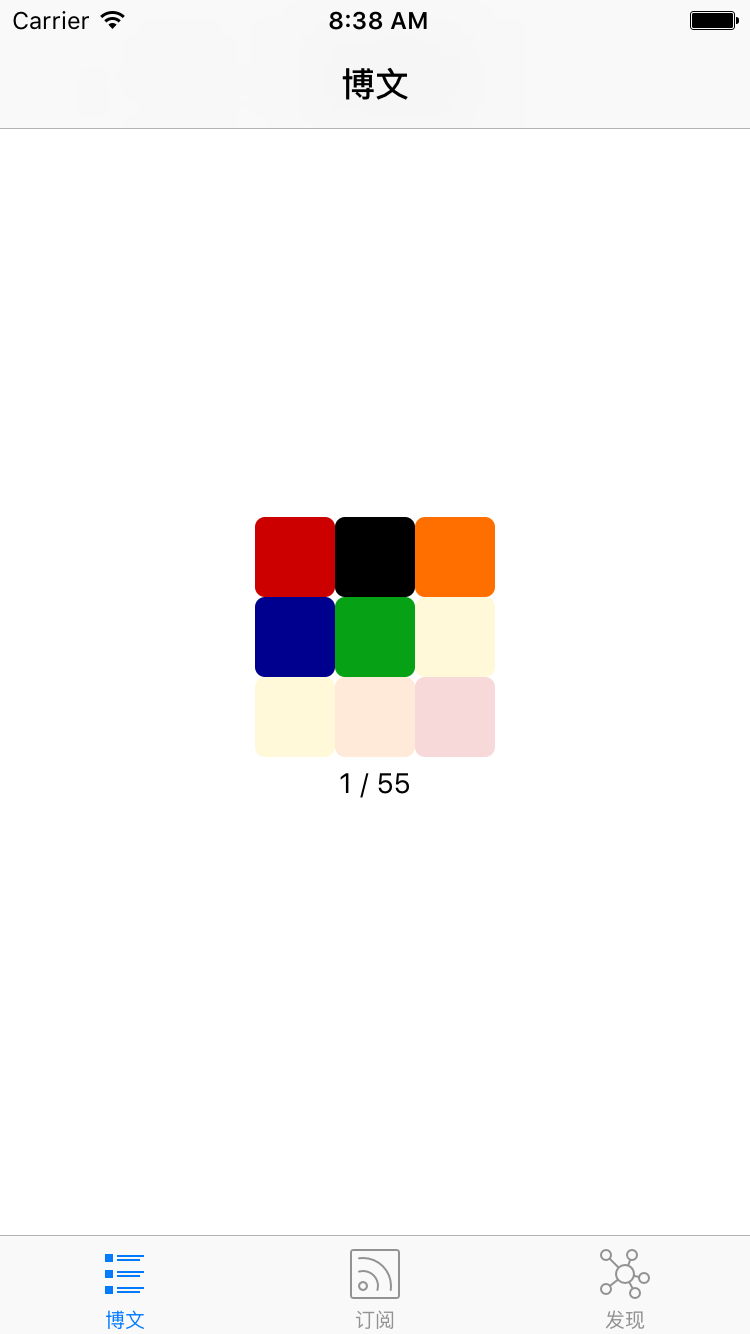
- First load animation, after loading 5 blogs, animation shrinks to place that doesn’t affect user use, continue loading remaining blogs.
- Record blog’s last article update date, when checking blog updates later, prioritize checking recently updated blogs. (Some developer blogs haven’t updated articles for a long time, but previous articles were well written.) Try to display latest content as fast as possible.
- After all blogs are loaded, can let user know. And can conveniently load latest content.
Other optimization ideas:
- Each blog has a weight value, allocated based on update frequency, in some cases can directly ignore blogs with too low weight.
Subscription Article Content Display
RSS/Atom subscription gets article content as a piece of html code. Missing css. Program needs to have a built-in relatively universal css.
Here currently directly copied RSSRead App’s css code. But this css has poor compatibility for some article displays. Will optimize later.
Loading Animation
Similar to MBProgressHUD loading animations are all global blocking. Can’t meet the need of loading 5 blogs first then continuing to show progress without affecting user use. So made my own.
Recently watching Brain, learning Rubik’s cube algorithms, thought could make a similar cube animation. For simplicity and quick usability, can use facebook’s pop library, 9 colors fade in and out one by one, plus a status bar.

Third-Party Services
- Analytics: Umeng
- Crash analysis: bugly
- Hot fix: JSPatch
Summary
Been doing iOS work for almost a year (paused 3 months in between being a stay-at-home dad), this is the first App to go on the store. Although the App is relatively simple, the evolution process of this idea is worth reflecting on and summarizing.
Another purpose of developing this App is to apply new knowledge and techniques I usually learn to this App, as my own small lab.