Spacemacs Getting Started
- Background
- Installation
- Basic Concepts
- Basic Operations
- Basic Configuration
- Daily Small Needs
- Later Additions
Background
Official site: http://spacemacs.org/
Installation
Step zero: Install latest emacs.
brew install emacs --with-cocoa
Step one: First ensure Home directory has no .emacs file and .emacs.d directory, can execute command below to delete first.
rm -rf .emacs.d
rm .emacs
Step two:
git clone <https://github.com/syl20bnr/spacemacs> ~/.emacs.d
Step three:
Run emacs. Wait a moment, there will be three questions, all press Enter for defaults.
Basic Concepts
C-n means press Ctrl key while pressing letter key n.
M-x means press Option key (alt key) while pressing letter key x.
<spc> f f means press space key, letter key f, letter key f in sequence.
<ret> Enter.
Basic Operations
Cancel Command
C-g If error occurs while inputting a shortcut, can use this to cancel.
Cursor Up Down Left Right
Up k or C-p
Down j or C-n
Left h or C-b
Right l or C-f
(pnbf is previous, next, backward, forward)
Open or New File
<spc> f f
Save File
<spc> s s
Switch Between Multiple Files
<spc> b b List all open files
Then C-n, C-p to select, or input characters to filter, finally
Return to Previous Open File
<spc> <tab>
Can execute multiple times to switch back and forth.
Split Screen, Move Focus, Close Current Split
<spc> w / Right split
<spc> w - Bottom split
<spc> w V Right split, and move focus to right
<spc> w S Bottom split, and move focus to bottom
<spc> w d Exit current split
<spc> 1 Switch to numbered split 1, 2, 3, 4 and so on, each split has number at bottom left
<spc> w m Keep only current split
How to Change Font Size
<spc> z x Pop up options, = zoom in, - zoom out, 0 restore
Open .spacemacs Configuration File
<spc> f e d
Search
// When file content is not much, basically enough. But when file content is large (e.g., file 1MB+) it's slow
<spc> s s

// Use grep, good performance, suitable for large files
<spc> s g b For all currently open buffers
<spc> s g g For current file

// Use ag, even better performance
<spc> s a b For all currently open buffers
<spc> s a a For current file
Replace
M-x replace-string
Edit
u Undo
C-r Redo

g c c Comment, uncomment
Directory Tree
<spc> f t Open close directory tree
<spc> p t Locate to project directory
project Project
Create .projectile blank file in some directory, or folder containing .git directory will automatically be recognized as project root directory.
<spc> / Search within project
<spc> * Search within project for text at current cursor
<spc> p R Replace within project
<spc> p f Locate file within project

<spc> p p Switch between multiple projects
Project list exists in file below:
.emacs.d\.cache\projectile-bookmarks.eld
Space separated.
Basic Configuration
Default Window Maximized
Modify either item below in configuration file
dotspacemacs-maximized-at-startup t Maximize
dotspacemacs-fullscreen-at-startup t Full screen maximize
Select layer
Modify in configuration file
   dotspacemacs-configuration-layers
   '(
     helm
     auto-completion
     better-defaults
     emacs-lisp
     git
     markdown
     org
     syntax-checking
     python
     javascript
     c-c++
     )
Install SourceCodePro Font
https://github.com/adobe-fonts/source-code-pro
nyan cat
     (colors :variables
             colors-enable-nyan-cat-progress-bar t)
Daily Small Needs
Filter Logs
- Drag large file into emacs.
<spc> s g bcan grep.
Fuzzy Locate File in Folder
- Create .projectile blank file in target folder.
<spc> p flocate file.
Find, Replace All Files in Folder
- Create .projectile blank file in target folder.
<spc> /search in folder.<spc> p Rreplace within project.
logos Syntax
;; theos - for jailbreak iOS Tweak files
(add-to-list 'auto-mode-alist '("\\.xm$" . objc-mode))
Later Additions
Added January 2018, perhaps last addition. Because for my usage habits, I found SpaceVim can completely replace spacemacs
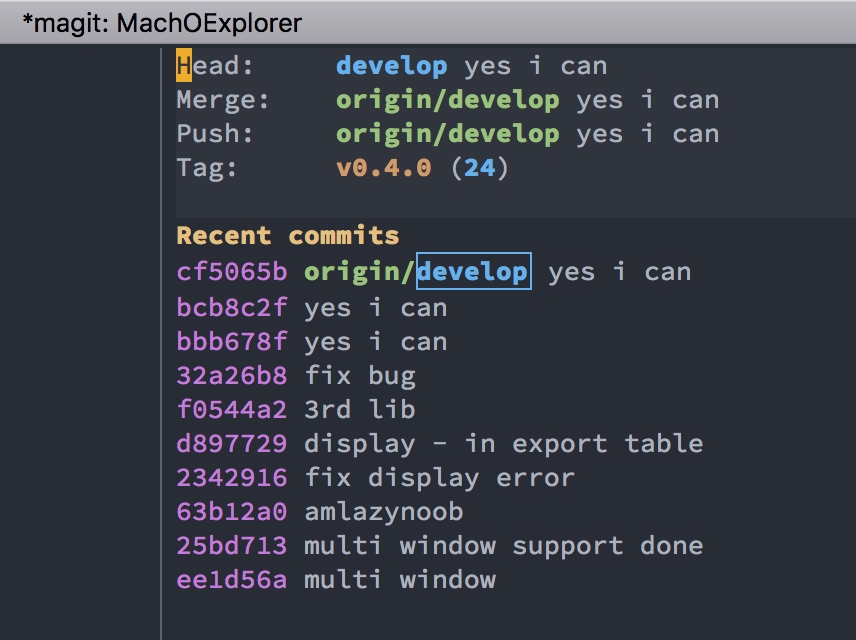
tip 1 : commit repo by magit
It was almost one year since I ,as a really nood for emacs, feel disappointed for spacemacs, all because of that I can not commit my git repo ( using magit).
Today I finally complete it. This is the phases below :
SPC g s to see the status of current project
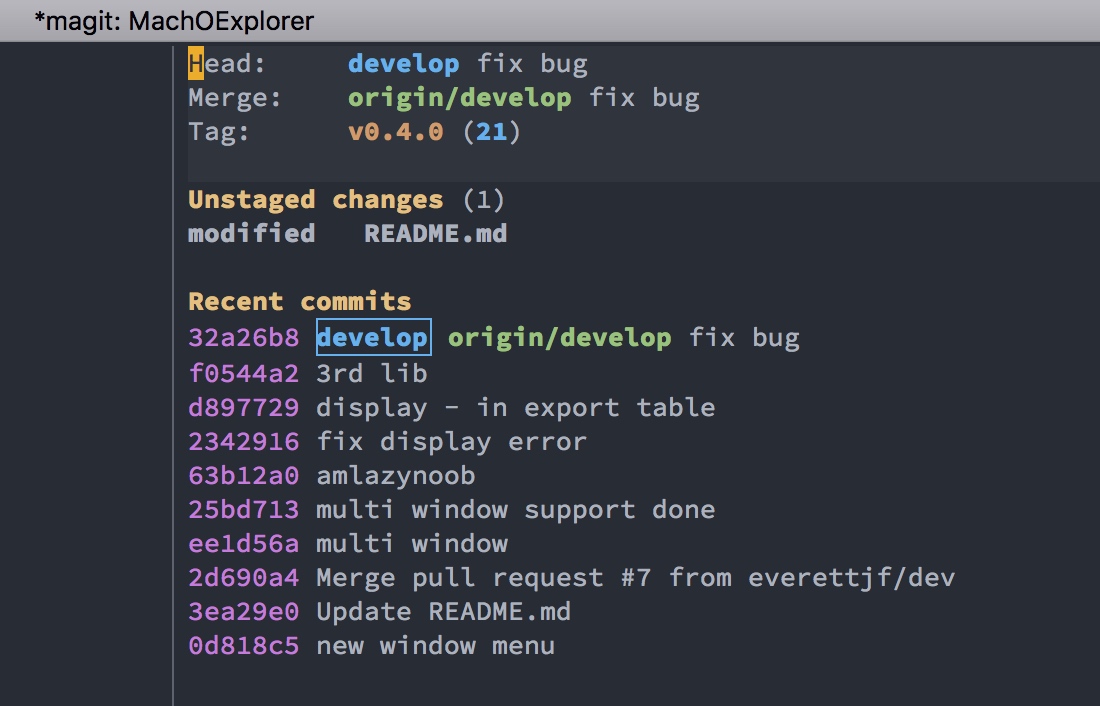
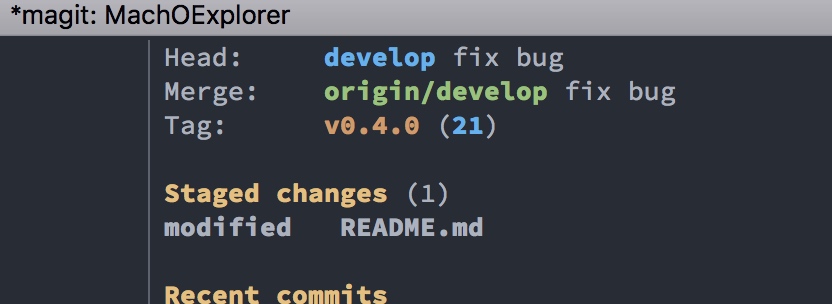
S to stage all files.
c c to commit, and edit the commit message ( must add some words)
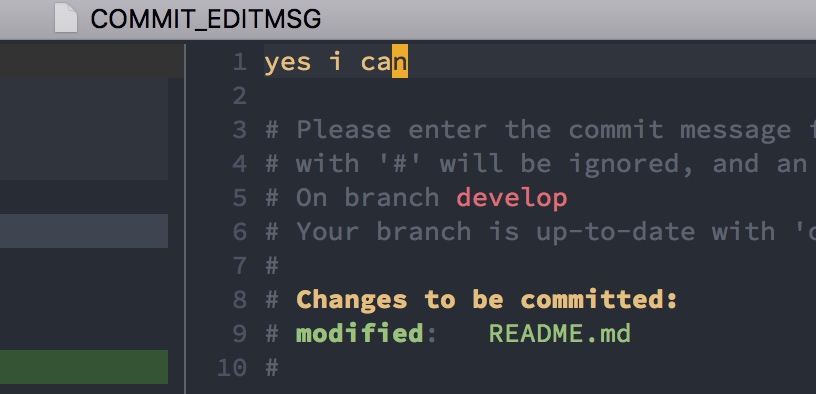
, , to really commit
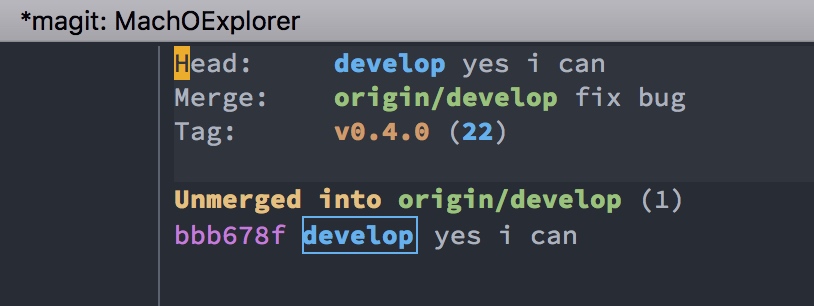 Yes , I can.
And I also can push origin master by P p
tip 2 : use atom-one-dark-theme for spacemacs
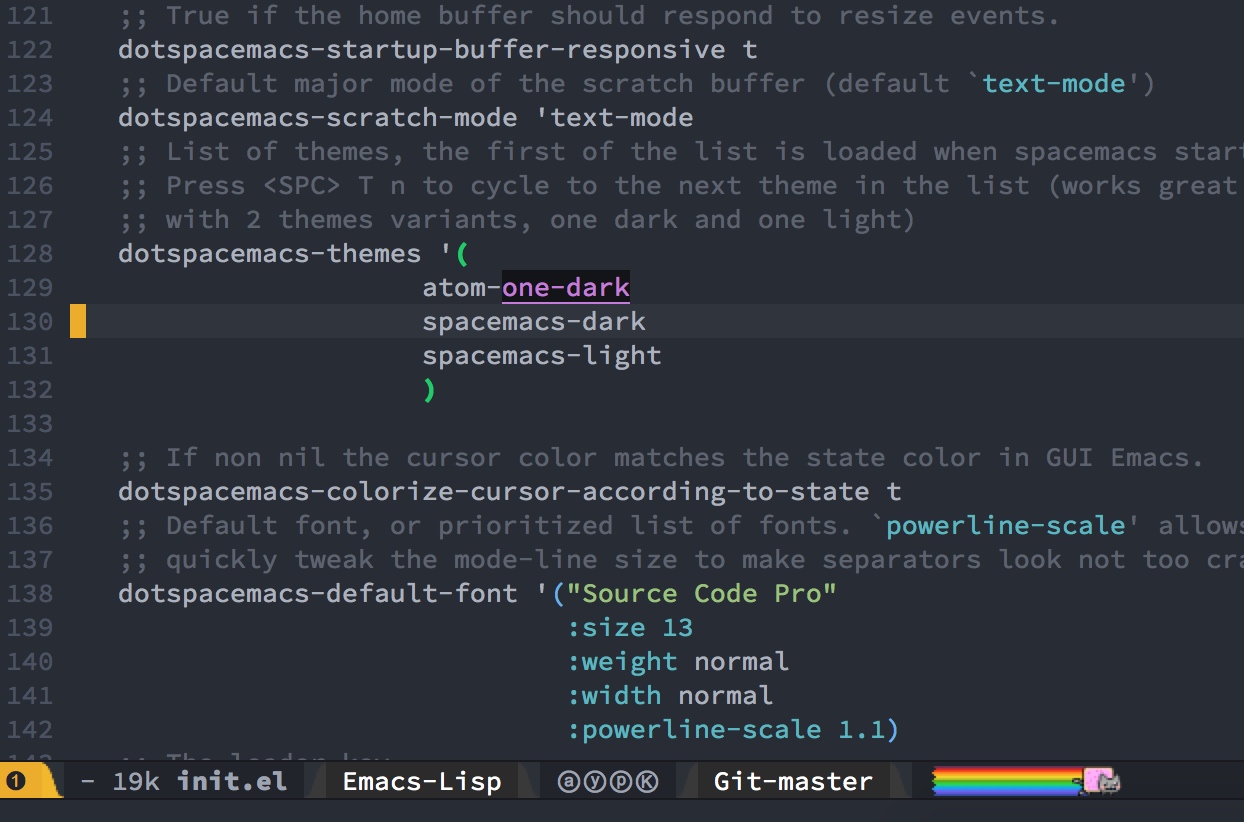
Since atom-one-dark-them has not been included in any layers , we can add this package in additional region below :
dotspacemacs-additional-packages '(
                                      atom-one-dark-theme
                                      )
Then, add atom-one-dark as the first dotspacemacs-themes :
dotspacemacs-themes '(
                      atom-one-dark
                      spacemacs-dark
                      spacemacs-light
                      )
Ok, restart emacs ( by SPC q r) , we will see the installing progress ,then it’s atom-one-dark time.
tip 3 : objc-mode for xm files (iOS tweak dev)
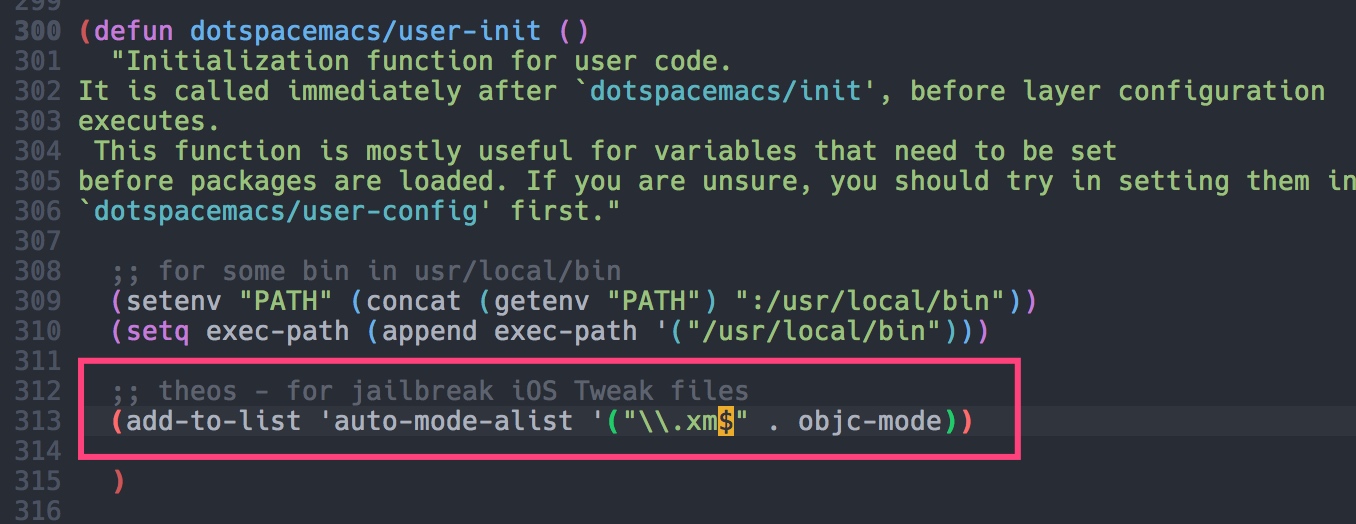
When I develop tweaks for jailbreak iOS , the source file extension is .xm , we could add lines below into dotspacemacs/user-init function , in order to let emacs auto set objc-mode when opening .xm file.
(add-to-list 'auto-mode-alist '("\\.xm$" . objc-mode))
tip 4 : insert code snippet
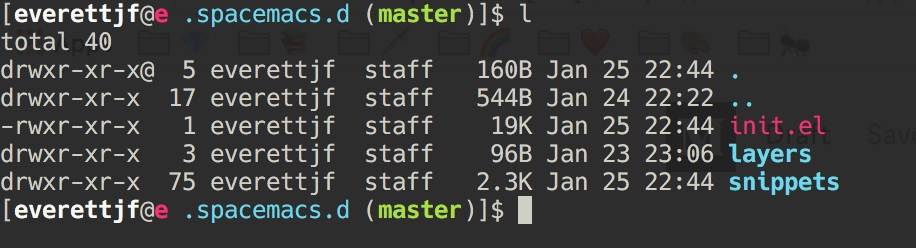
spacemacs include yasnippet automaticly, we could download the snippets from https://github.com/AndreaCrotti/yasnippet-snippets
Just copy the snippets folder to ~/.spacemacs.d as below :
 Now that’s all the installation.
Let’s use python source as an example :
- Open an python source file : test.py
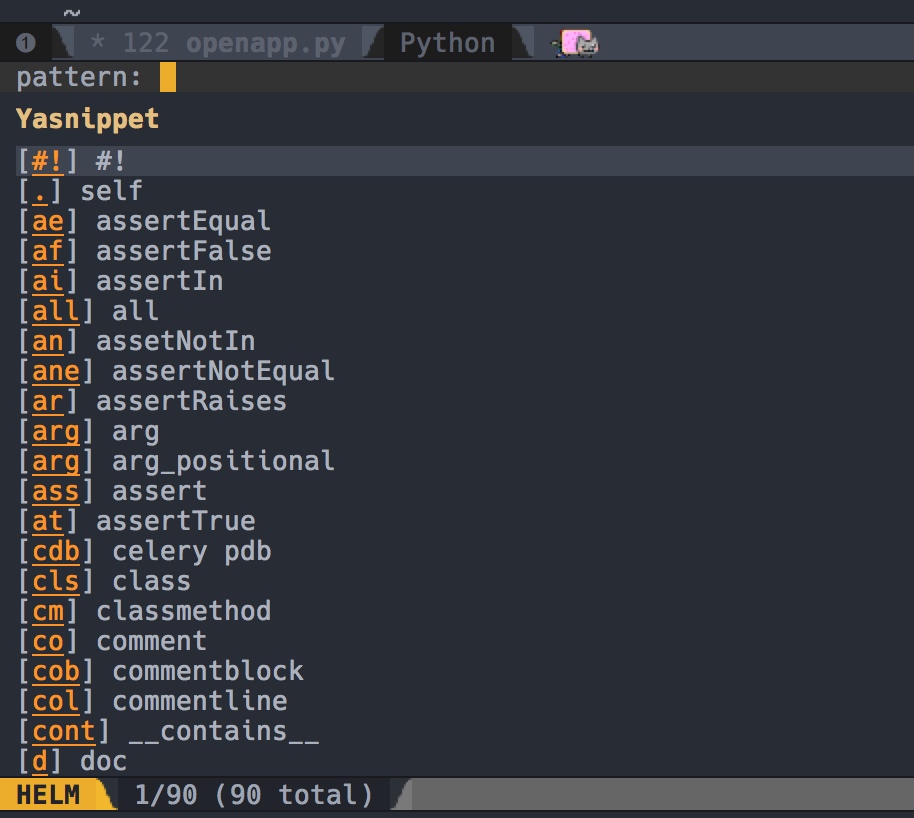
- Type SPC i s,and you could see :
- Type
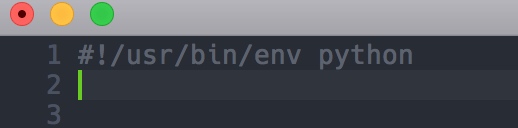
#and thenRET, will insert :
That’s all.
And useful snippets like : ifm m cm cls …