os_signpost API 尝鲜
· 性能
os_signpost API 是 iOS12 新增的轻量级代码性能分析工具,可以采集数据并可视化。官方原话是 The os_signpost APIs let clients add lightweight instrumentation to code for collection and visualization by performance analysis tooling.
背景
代码层面的性能分析,最直观的方式就是标识出一段代码的开始和结尾,然后计算下耗时。就像下面这样:
    CFTimeInterval begin = CACurrentMediaTime();
    // do something
    CFTimeInterval end = CACurrentMediaTime();
    NSLog(@"cost = %@",(end - begin));
然而如果代码逻辑复杂、有先后关系、存在多个线程等,单靠某小段代码的标记,就不是那么直观了。
由此也就诞生了 AppleTrace (https://github.com/everettjf/AppleTrace)这个工具,或者说catapult (https://github.com/catapult-project/catapult),或者说Chrome内置的 chrome://tracing 功能。下图是AppleTrace的例子。
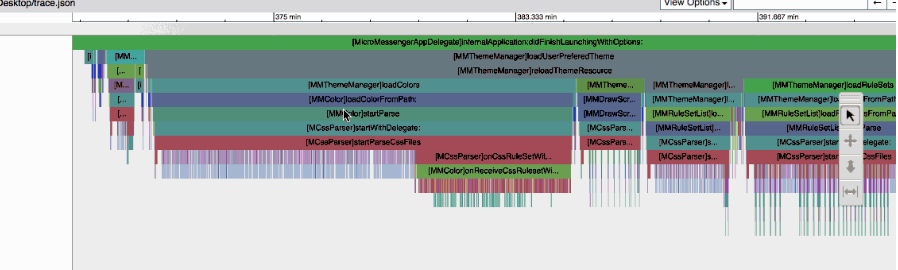
iOS12 开始更加关注性能的苹果团队,也发现了直观展示的重要性(体验更好),开发了 os_signpost API。最早接触这个API是从 WWDC:Measuring Performance Using Logging https://developer.apple.com/videos/play/wwdc2018/405 中了解到的,推荐观看。os_signpost API可配合Instruments工具,显示可视化的效果。
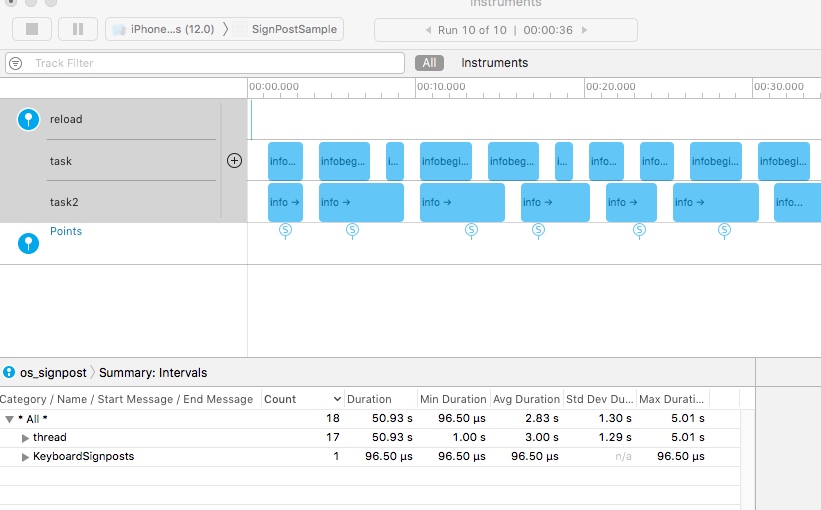
下面就简单尝鲜,最终可以看到这样的效果:
环境
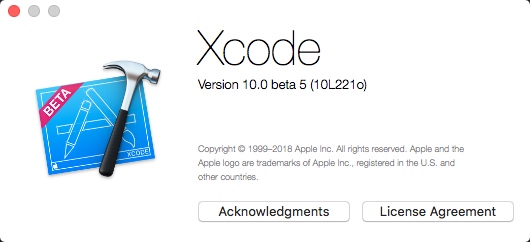
需要Xcode10 beta版本,目前写这篇文章时,最新版本是:
尝鲜
这篇文章只介绍C的使用方法,swift类似且WWDC中是以swift语言来讲的。
先包含头文件
#include <os/signpost.h>
代码很简单,三个步骤,如下:
    // 第一步,创建一个log对象
    os_log_t log = os_log_create("com.everettjf.sample.signpost", "hellosignpost");

    // 创建os_signpost的ID
    os_signpost_id_t spid = os_signpost_id_generate(log);

    // 标记开始和结束
    os_signpost_interval_begin(log, spid, "task");
    doSomethingShort();
    os_signpost_interval_end(log, spid, "task");
打开Instruments,可以选择一个空的模板。
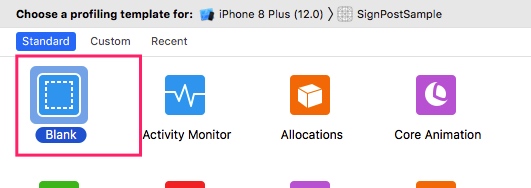
然后点击右上角添加,找到os_signpost。
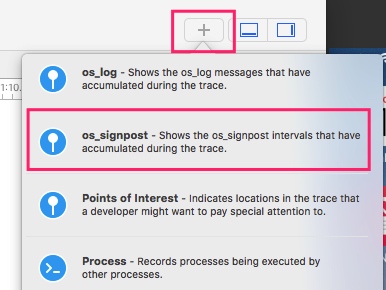
拖拽到左侧,
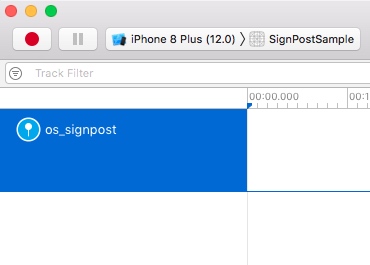
点击左上角红色的圆点(Start)就可以看到下图啦。
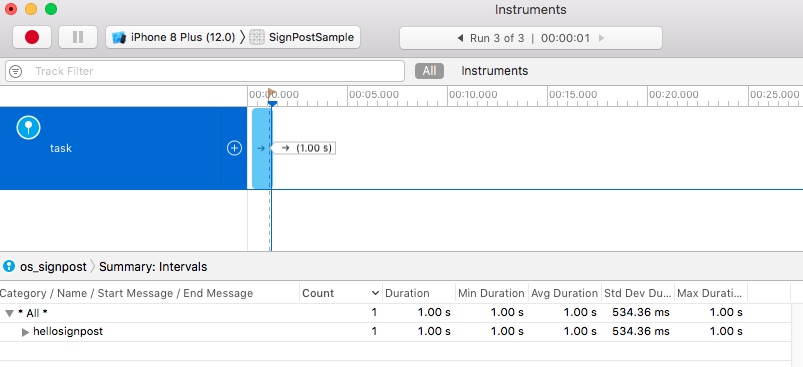
API解释
- os_log_create 第一个参数就是个reverse DNS格式的ID,第二个参数是类别(上图中下面的Category)。可以创建不同的log对象,在上图中展示不同的Category。
- os_signpost_id_generate 产生一个ID。类似的方法有 os_signpost_id_make_with_id 和 os_signpost_id_make_with_pointer,主要是用于标识一个开始和结束的匹配关系。
- os_signpost_interval_begin 和 os_signpost_interval_end 标记开始和结束。第三个参数是给这段时间起的名字。第四个参数开始就是类似printf的格式化参数了。
再尝鲜
下面再复杂一点,用这个代码:
    os_log_t log = os_log_create("com.everettjf.sample.signpost", "thread");
    os_signpost_id_t spid = os_signpost_id_generate(log);

    dispatch_queue_t queue1 = dispatch_queue_create("com.everettjf.test1", DISPATCH_QUEUE_SERIAL);
    dispatch_queue_t queue2 = dispatch_queue_create("com.everettjf.test2", DISPATCH_QUEUE_SERIAL);

    for(int i = 0; i < 10; i++){
        dispatch_async(queue1, ^{
            doSomethingOther();
            os_signpost_interval_begin(log, spid, "task", "infobegin%d", i);
            doSomethingShort();
            os_signpost_interval_end(log, spid, "task","infoend%d",i);
        });

        dispatch_async(queue2, ^{
            doSomethingOther();
            os_signpost_interval_begin(log, spid, "task2","info");
            doSomethingLong();
            os_signpost_interval_end(log, spid, "task2");
        });
    }
就可以看到这样了。
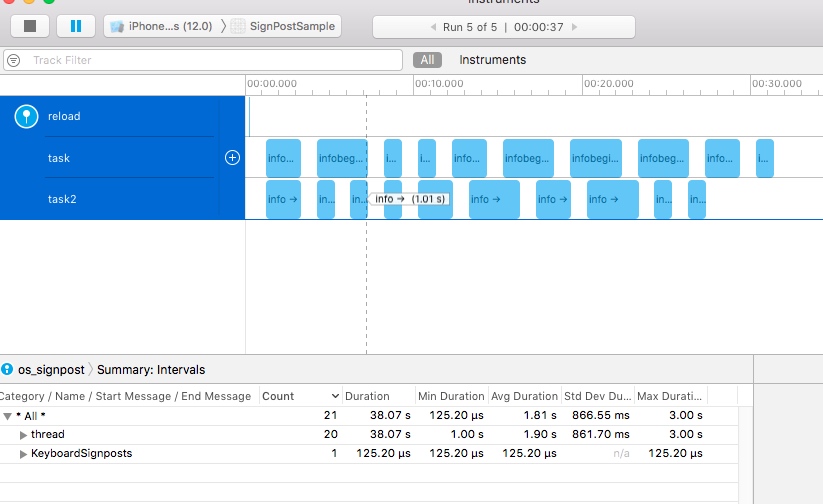
Point Of Interest
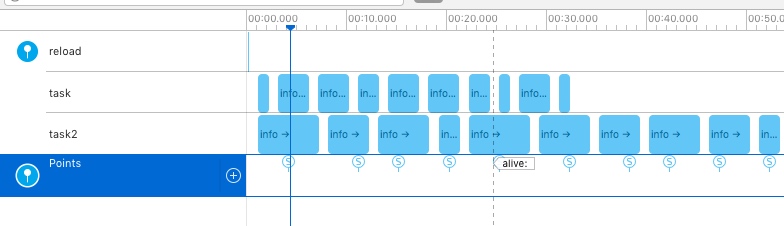
还可以添加一些感兴趣的点,
    os_log_t loginterest = os_log_create("com.everettjf.sample.signpost", OS_LOG_CATEGORY_POINTS_OF_INTEREST);
    os_signpost_id_t spidinterest = os_signpost_id_generate(loginterest);

    //...

    os_signpost_event_emit(loginterest, spidinterest, "alive");
如下图Points。
代码
总结
尝尝鲜,放松一下,挺好玩,os_signpost API 未来一定是性能分析者的好伙伴。
未来配上黑色主题,确实很炫。
欢迎关注订阅号「客户端技术评论」: