FastImageCache 原理
· 性能优化
FastImageCache 是一个使用空间换时间的加速图片加载/渲染的库。官方(https://github.com/path/FastImageCache)的README比较详细的解释了原理。这篇文章就结合源码再次温习一遍最核心的部分。
问题
通常文件加载的方式是:
- +[UIImage imageWithContentsOfFile:]使用 Image I/O 接口从读取的数据创建CGImageRef。但此时没有解码图像。
- 赋值给UIImageView。
- 隐式的CATransaction检测到了layer tree的改变。
- 下一个主线程run loop,Core Animation 会提交这个隐式的CATransaction,引起图像数据的copy。
根据图像的不同,copy过程可能包含如下步骤:
- 申请用于文件读写和解压的内存。
- 从磁盘读取文件内容到内存。
- 解压图像,通常情况下,解压比较耗费CPU(CPU密集操作)。
- Core Animation使用解压后的数据进行渲染。
解决方案
1. Mapped Memory
FastImageCache的核心是image table。类似游戏开发中的雪碧图 http://en.wikipedia.org/wiki/Sprite_sheet#Sprites_by_CSS
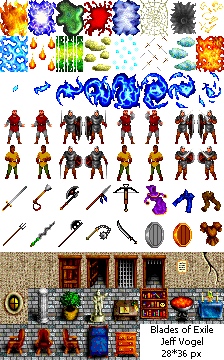
将整个文件通过mmap映射到内存,然后从内存中读取图像数据。mmap的使用减少了数据拷贝。
mmap在之前的文章介绍过,见 https://everettjf.github.io/2018/09/01/mmap/
2. Uncompressed Image Data
为了避免昂贵的图像解压操作,image table直接存储解压后的图像数据。图像的解压只会执行一次,未来读取图像时直接使用解压后的数据。
解压后的图像数据会占用更大的磁盘空间。
3. Byte Alignment
使用TimeProfiler分析应用时,经常发现 CA::Render::copy_image 占用较大的耗时。这通常是因为Core Animation需要一个字节对齐的图像,没有字节对齐的图像会导致Core Animation在渲染时复制一份图像。从而增加渲染耗时。
image table中会存储一个字节对齐的图像,从而避免这个耗时。
此外,对齐的bytes-per-row 是64,也就是CGBitmapContextCreate的bytesPerRow参数是64的整数倍。
CGContextRef __nullable CGBitmapContextCreate(void * __nullable data,
    size_t width, size_t height, size_t bitsPerComponent, size_t bytesPerRow,
    CGColorSpaceRef cg_nullable space, uint32_t bitmapInfo)
A properly aligned bytes-per-row value must be a multiple of 8 pixels × bytes per pixel. For a typical ARGB image, the aligned bytes-per-row value is a multiple of 64.
实现代码
1. mmap
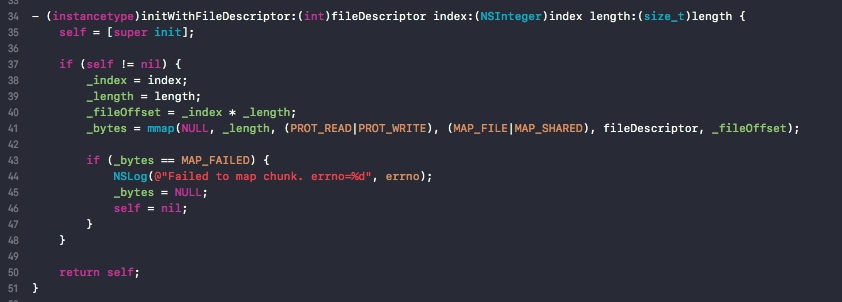
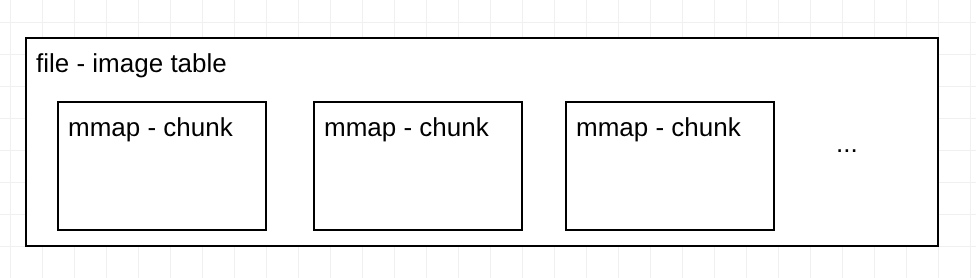
FastImageCache的image table是一个文件,通过mmap不同的位置来映射到每一个Chunk。FICImageTableChunk 的逻辑就是为了在一个大的文件中mmap不同的位置(当前Chunk)
2. 解压图像
(1) 写入图像到Chunk
在这个方法中 -[FICImageTable setEntryForEntityUUID:sourceImageUUID:imageDrawingBlock:] 将图像的数据创建到mmap对应的entry中。
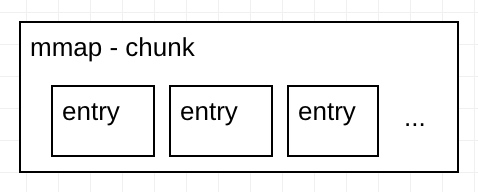
一个Chunk对应多个entry,一个entry就是一个图像的数据。
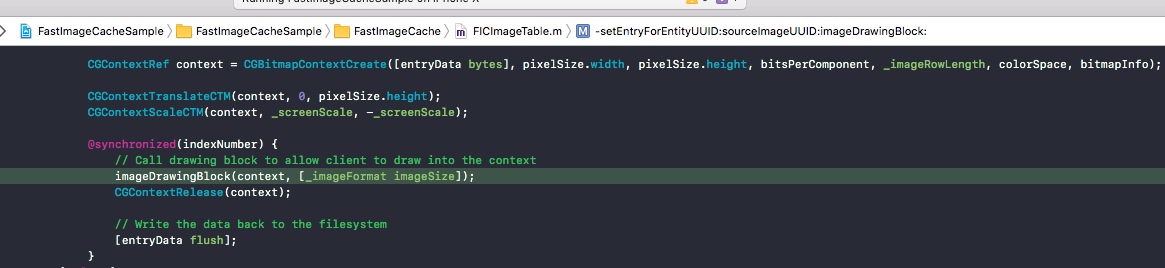
FastImageCache提供了block回调要让我们自己来提供绘制(本意是为了让我们还可以做一些处理,例如圆角)。
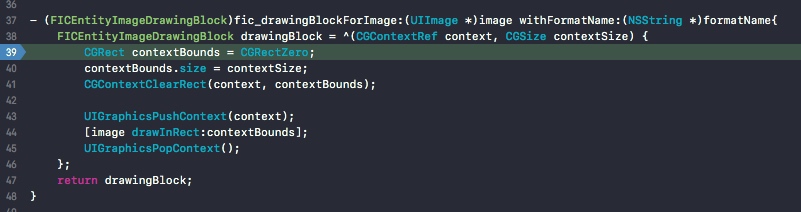
(2)读取图像
读取在 -[FICImageTable newImageForEntityUUID:sourceImageUUID:preheatData:]
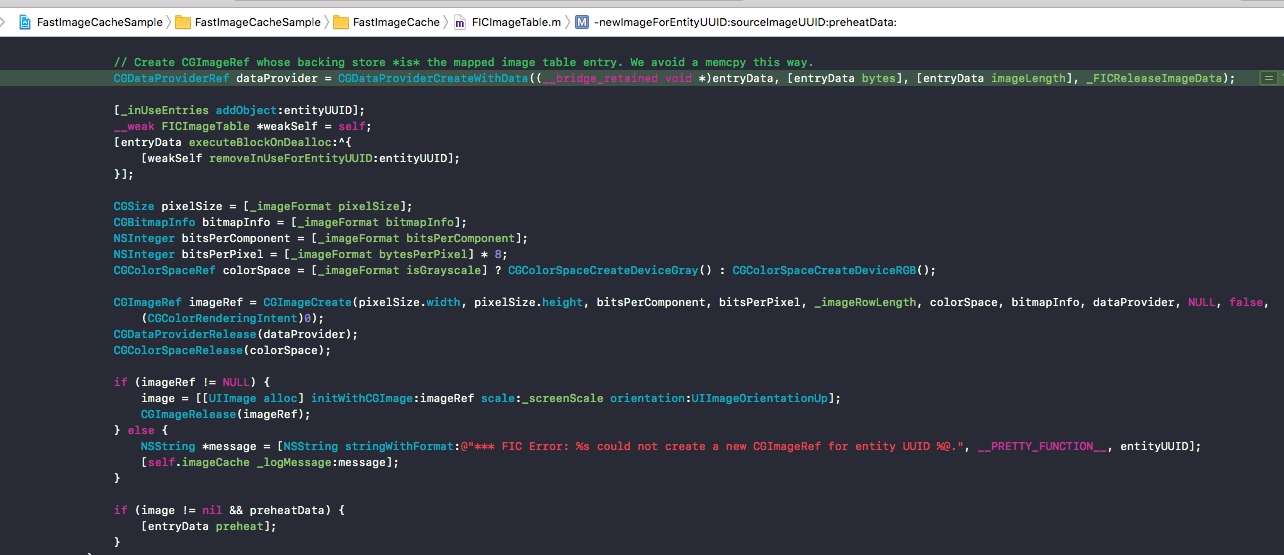
这里最关键的是CGDataProviderCreateWithData,通过这个API可以让CGImageRef的后端存储(backing store)是mmap映射的内存。也就利用了mmap的优势来加载CGImageRef。
// Create CGImageRef whose backing store *is* the mapped image table entry. We avoid a memcpy this way.
GDataProviderRef dataProvider = CGDataProviderCreateWithData((__bridge_retained void *)entryData, [entryData bytes], [entryData imageLength], _FICReleaseImageData);
3. 字节对齐
Core Animation 需要64字节对齐的图像数据。如下代码。
// Core Animation will make a copy of any image that a client application provides whose backing store isn't properly byte-aligned.
// This copy operation can be prohibitively expensive, so we want to avoid this by properly aligning any UIImages we're working with.
// To produce a UIImage that is properly aligned, we need to ensure that the backing store's bytes per row is a multiple of 64.

#pragma mark - Byte Alignment

inline size_t FICByteAlign(size_t width, size_t alignment) {
    return ((width + (alignment - 1)) / alignment) * alignment;
}

inline size_t FICByteAlignForCoreAnimation(size_t bytesPerRow) {
    return FICByteAlign(bytesPerRow, 64);
}
其他代码
一个有意思的代码,
- (void)preheat {
    int pageSize = [FICImageTable pageSize];
    void *bytes = [self bytes];
    NSUInteger length = [self length];

    // Read a byte off of each VM page to force the kernel to page in the data
    for (NSUInteger i = 0; i < length; i += pageSize) {
        *((volatile uint8_t *)bytes + i);
    }
}
由于mmap的机制,对应的内存仅在读取的时候才会加载到page,上面的代码强制读取这部分内存,就让mmap的图像数据提前加载到了内存(加载时是在子线程),最终减少了主线程的耗时。
参考
- Getting Pixels onto the Screen https://www.objc.io/issues/3-views/moving-pixels-onto-the-screen/
- Optimizing 2D Graphics and Animation Performance
https://developer.apple.com/videos/play/wwdc2012/506/
- iOS图片加载速度极限优化—FastImageCache解析 http://blog.cnbang.net/tech/2578/
总结
个人感觉,FastImageCache太过于为Path这个应用定制了,一些该灵活的地方(例如图片大小不固定)没有灵活,反而很多其他参数特别多。为了通用性,还加入了MRU算法、文件保护属性等,导致代码复杂(乱)了很多。
如果我们仅仅为了优化App的首页加载速度,可以有一个超级精简的版本。如果你需要,那么来做一个吧。
欢迎关注订阅号「客户端技术评论」: