vscode Extension for pubspec Dependencies
Recently preliminarily learned Flutter (https://flutter.dev/).
While learning some open source code discovered a small need: pubspec.yaml has many dependencies, beginners many unfamiliar, need to copy one by one to https://pub.dartlang.org/ to search and query documentation.
Thought can develop a vscode extension, add a button next to corresponding package name, I just need to click. (Ah, too lazy?)
So today developed such a vscode extension:
Pubspec Dependency Search
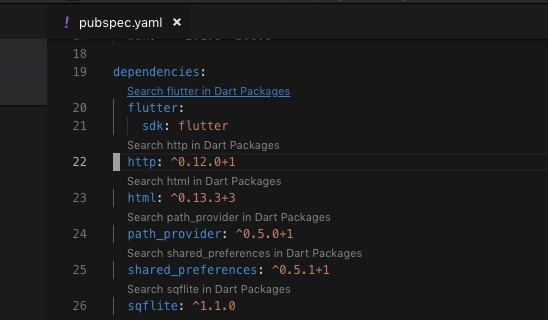
After installing extension, when opening pubspec.yaml, extension will find dependencies and dev_dependencies, and add a line of text (link) above each dependency. For example: Search flutter in Dart Packages .
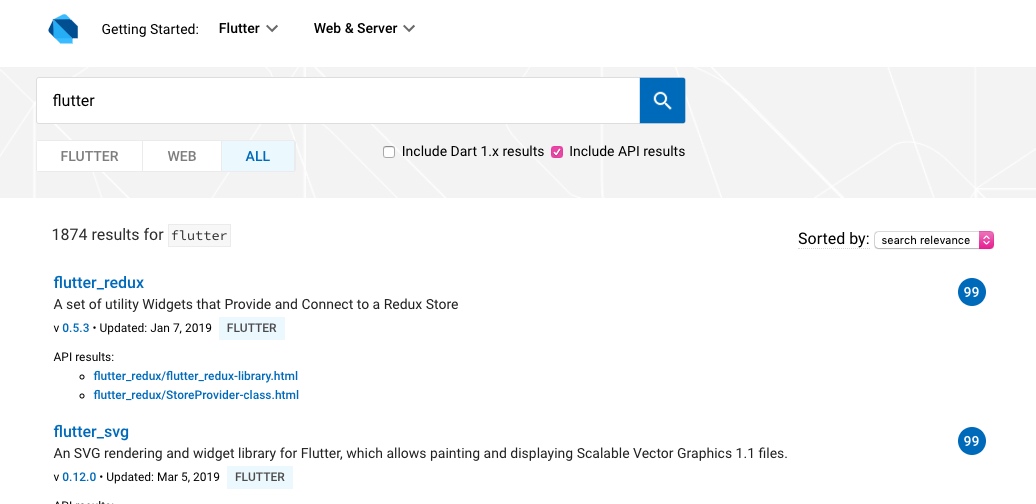
After clicking can open Dart Packages to search.
Installation address:
https://marketplace.visualstudio.com/items?itemName=everettjf.pubspec-dependency-search
Source code:
https://github.com/everettjf/vscode-pubspec-dependency-search
Principle:
- Principle is simple, vscode extension parses dependencies in pubspec.yaml, then through CodeLensProvider tells vscode where to add links.
- Link is constructed URL: https://pub.dartlang.org/packages?q=flutter open with browser.
Added some Flutter learning materials recently organized:
- Quickly familiarize Dart language https://www.dartlang.org/guides/language/language-tour
- Quickly go through documentation https://flutter.dev/docs/development/ui/widgets-intro
- Cookbook examples go through once https://flutter.dev/docs/cookbook
- Flutter Practice https://book.flutterchina.club/
Then start implementing your ideas~ Don’t forget to install vscode extension Pubspec Dependency Search oh.
Hmm, interesting :)
Welcome to follow subscription account “Client Technology Review”: