聊天界面键盘隐藏时的一个动画小问题
背景
聊天界面,有两种实现方法:
- QQ的实现方式,也是大多数App的实现方式。每个类型的消息有各自不同的Cell,例如:TextCell,ImageCell等。
- 微信的实现方式。目前只知道微信这么干的。实现方式见这个文章。
这篇文章主要是讲第一种实现方式可能遇到的一个UI动画的小问题。 GitHub上有很多参考代码都是第一种实现方式(第二种没找到现成的代码),然而好多代码在实际应用时或多或少有些小问题。
思路
由于聊天消息中头像会在左侧,也会在右侧,且消息内容有很多种也会左对齐或右对齐。如果每种组合都做一个Cell,将会有大量的Cell出现。
- TextLeftCell
- TextRightCell
- ImageLeftCell
- ImageRightCell
这样不好,如果消息类型有几十种,则Cell就是两倍的数目。 (PS:如果一个Cell中,放两个View呢?LeftView和RightView。也不好,还是麻烦。)
一种解决方法是,在tableView的cellForRowAtIndexPath中根据消息类型(对方消息还是我的消息)改变头像、内容View的位置frame。
然而有个需求:
- 键盘弹出,TableView要跟着向上。
- TableView滑动时,收起键盘。
问题
这是一种实现方式,步骤如下:
- 当键盘弹出,控制TableView的frame变小。
- 新增消息。
- TableView向下滑动时同时收起键盘。改变TableView的frame恢复原有大小。
插播:上面的步骤是很容易出现的,改变tableView frame的大小也是一个容易想到的方法,当然也可以使用约束,改变TableView下面的View的大小(这种使用约束方式与改变frame大小类似,都会为这个小问题埋下坑)。
最终效果如下:
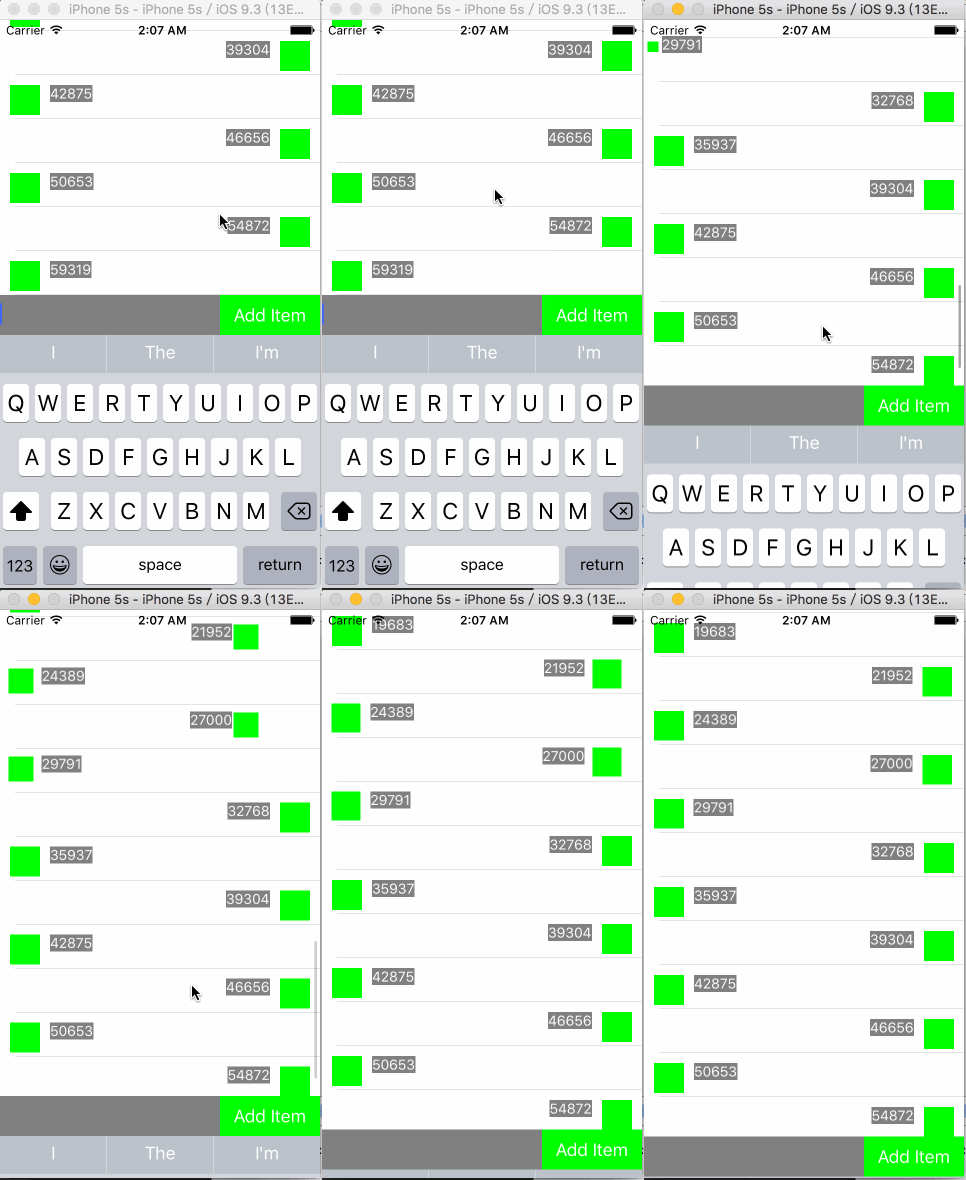
问题来了:
当键盘收起时,TableView中上面有几个Cell中的头像和内容会有个动画,这个动画并不是预期的
如何去掉这个动画?
原因
- 键盘收起时,会以动画的方式收起, UITableView 的frame变大也是在动画上下文中,因此UITableView会以动画方式变大。
- 同时由于UITableView frame变大,可容纳更多Cell,新的Cell会创建,创建过程也在动画的上下文中。
解决
有两步:
第一步
tableView的cellForRowAtIndexPath中改变frame时要禁用动画。
- (UITableViewCell *)tableView:(UITableView *)tableView cellForRowAtIndexPath:(NSIndexPath *)indexPath{
    ChatCell *cell = [tableView dequeueReusableCellWithIdentifier:@"Cell" forIndexPath:indexPath];

//    [self _fillCell:cell indexPath:indexPath];

    [UIView performWithoutAnimation:^{
        [self _fillCell:cell indexPath:indexPath];
    }];

    return cell;
}
然而这样还是不够,改变Cell大小时,还会有影响。
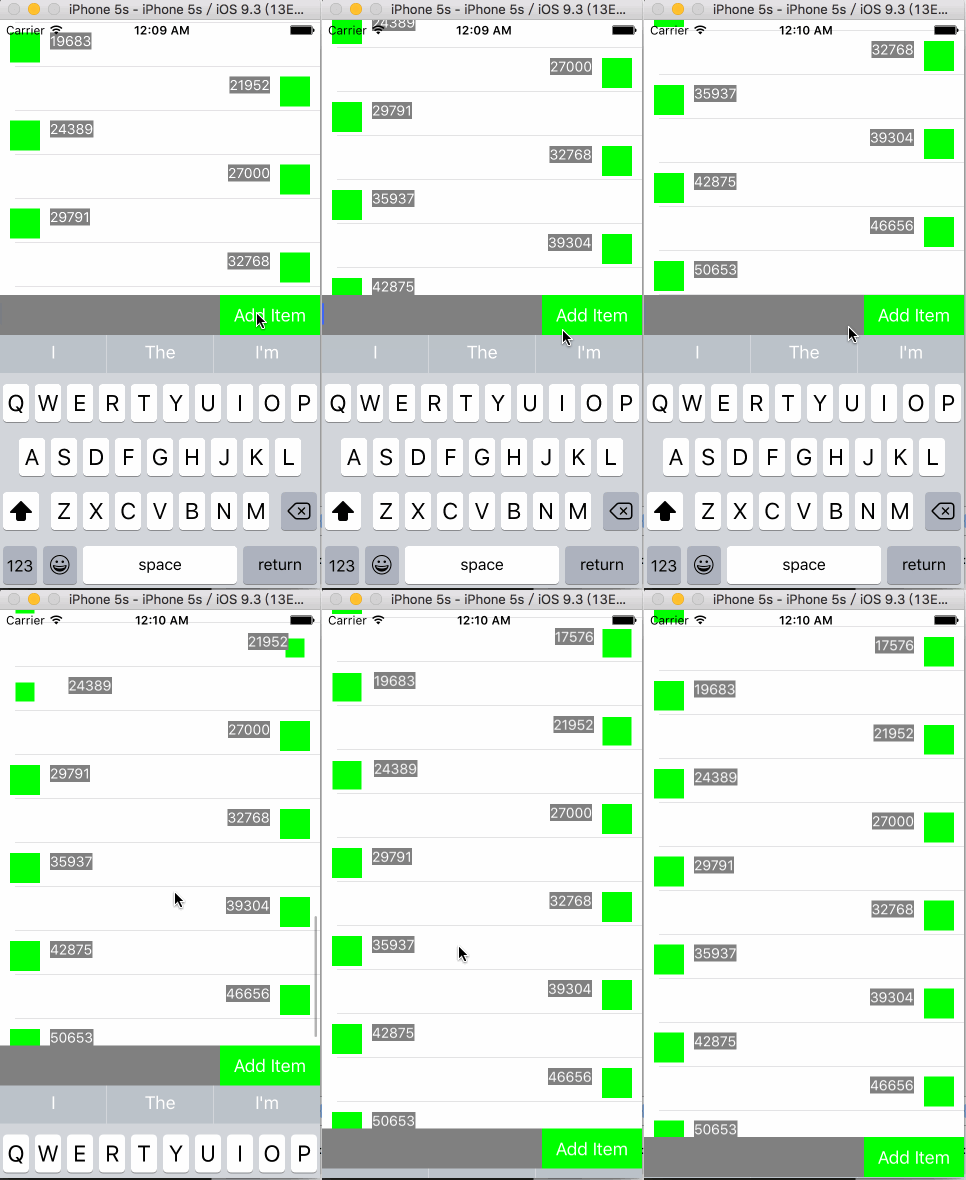
第二步
不改变tableView大小,仅改变位置。
- (void)_setBottomOffset:(CGFloat)offset{
    // TableView变小
//    _bottomView.frame = CGRectMake(0, self.view.bounds.size.height - 40 - offset, self.view.bounds.size.width, 40);
//    _tableView.frame = CGRectMake(0, 0, self.view.bounds.size.width, self.view.bounds.size.height - 40 - offset);

    // TableView大小不变,只向上移动
    _bottomView.frame = CGRectMake(0, self.view.bounds.size.height - 40 - offset, self.view.bounds.size.width, 40);
    _tableView.frame = CGRectMake(0, -offset, self.view.bounds.size.width, self.view.bounds.size.height - 40);
}
这样就比较好了。
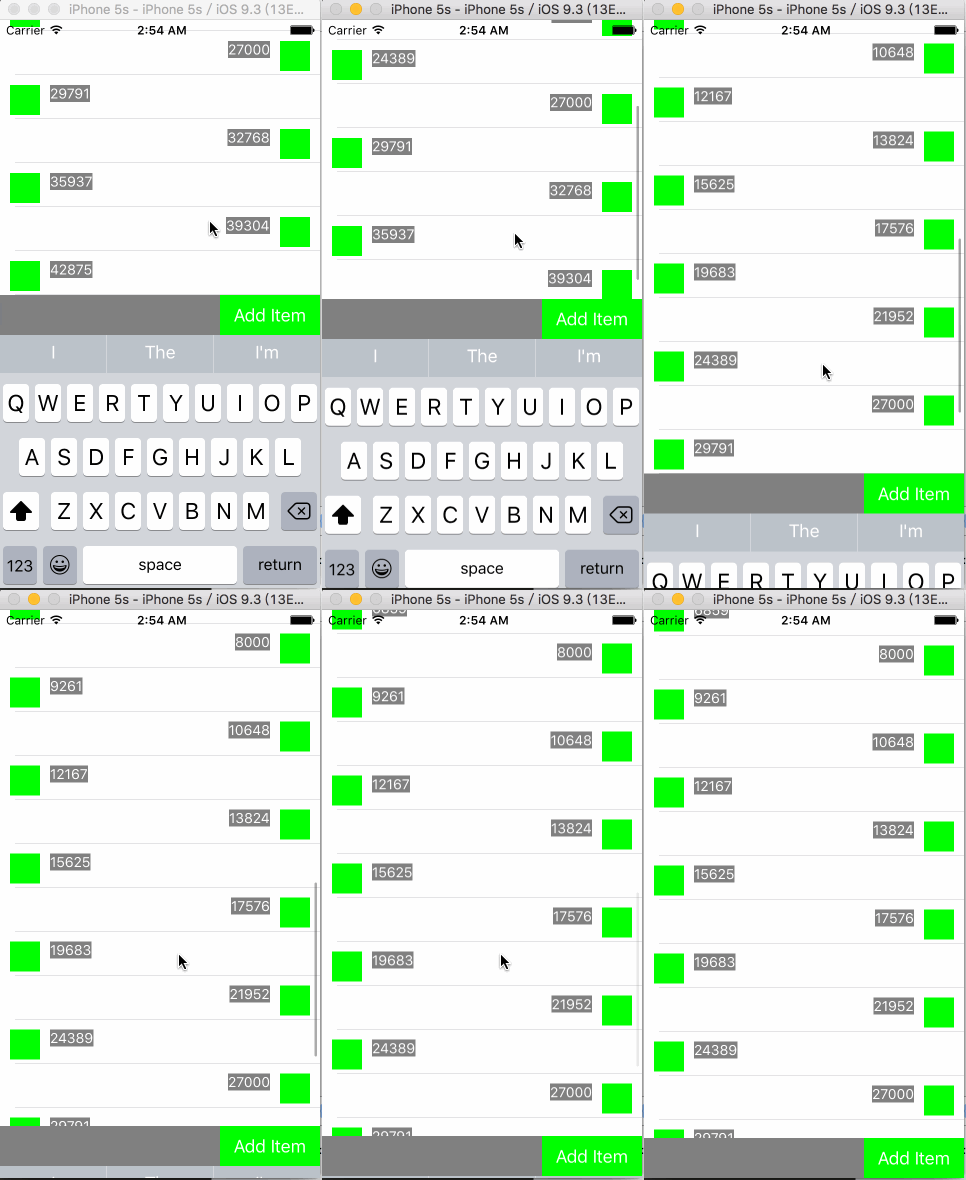
第三步
改变位置会带来一个问题。当消息很少(例如一条),改变位置后,最上面的这一条消息就跑屏幕外面。需要调整UITableView的contentInset:
    @property (nonatomic,assign) CGFloat insetTop;

    // 初始化设置
    _insetTop = STATUS_BAR_HEIGHT + self.navigationController.navigationBar.bounds.size.height;
    _tableView.contentInset = UIEdgeInsetsMake(_insetTop, 0, 0, 0);

    // 响应底部键盘高度的改变
    CGFloat offset = _tableView.contentSize.height - _tableView.bounds.size.height;
    if(offset < 0){
        _tableView.contentInset = UIEdgeInsetsMake(_insetTop + height, 0, 0, 0);
    }else{
        _tableView.contentInset = UIEdgeInsetsMake(_insetTop, 0, 0, 0);
    }
总结
貌似有些第三方IM的sdk也有类似问题。脉脉app应该是自己开发的,也有这个问题。如果开发人员看到这篇文章,就修改下哈。